Fitness is belonging. Members who feel part of a community show up more, stay longer and bring friends.
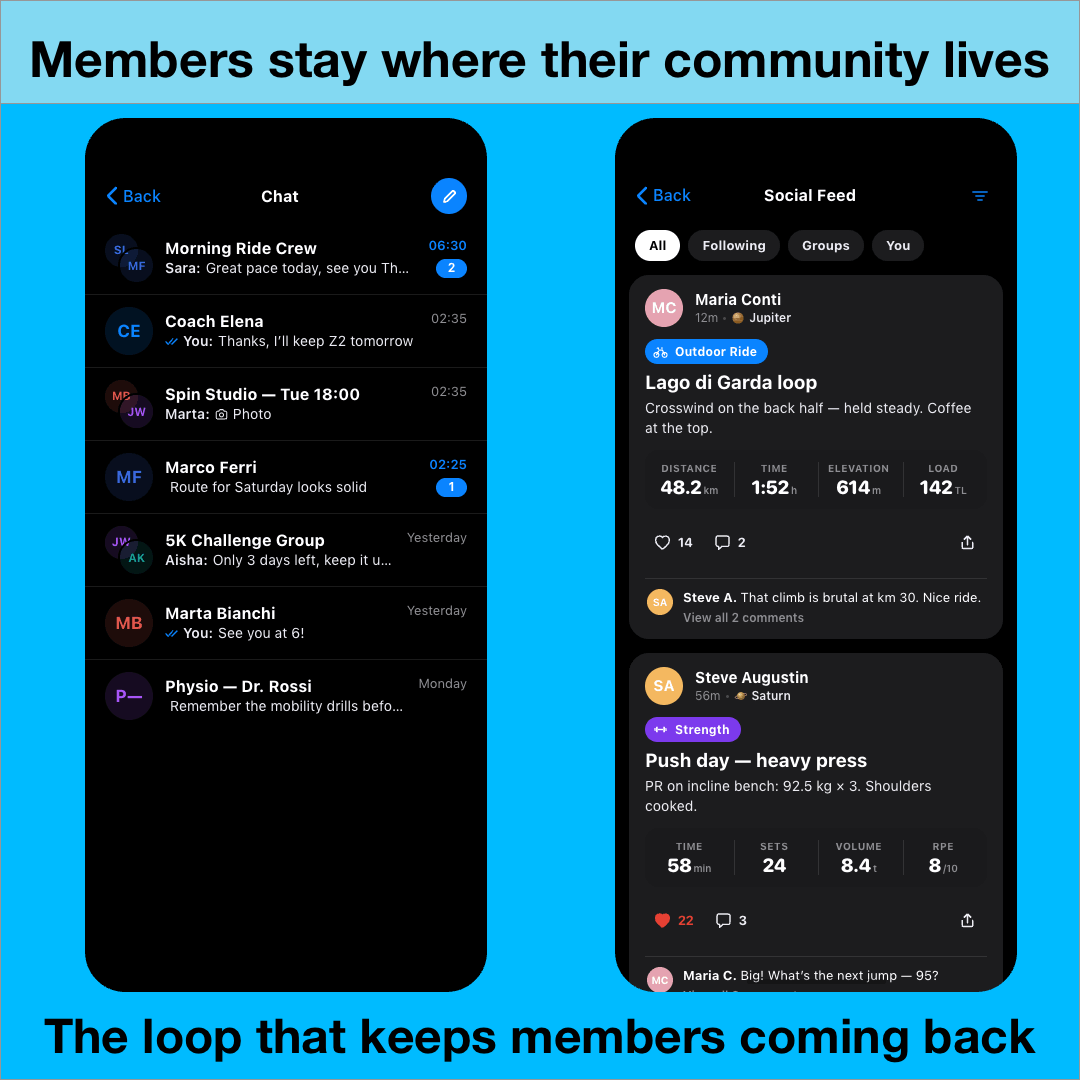
That’s why SELFLOOPS Spark now includes Chat and Feed.
Coaches and members can message each other, and workouts and milestones are shared automatically (if the user enables it), with likes and comments built in.
The loop that keeps members coming back
Workouts spark the conversation, and the conversation drives the next session. A member finishes a ride, a friend comments, a coach replies, and tomorrow’s session is already booked. That loop is what builds habit, and habit is what builds retention.
What this means for your business
Higher engagement: members who interact with each other and with your coaches come back more often.
Stronger retention: belonging is the hardest thing for a competitor to copy.
A community you own: conversations and activity stay inside your branded app, not on third-party platforms.
Strength training is evolving. Coaches and athletes expect more than spreadsheets, screenshots, and disconnected apps. They need a platform that simplifies programming, improves athlete engagement, and keeps all performance data in one place.
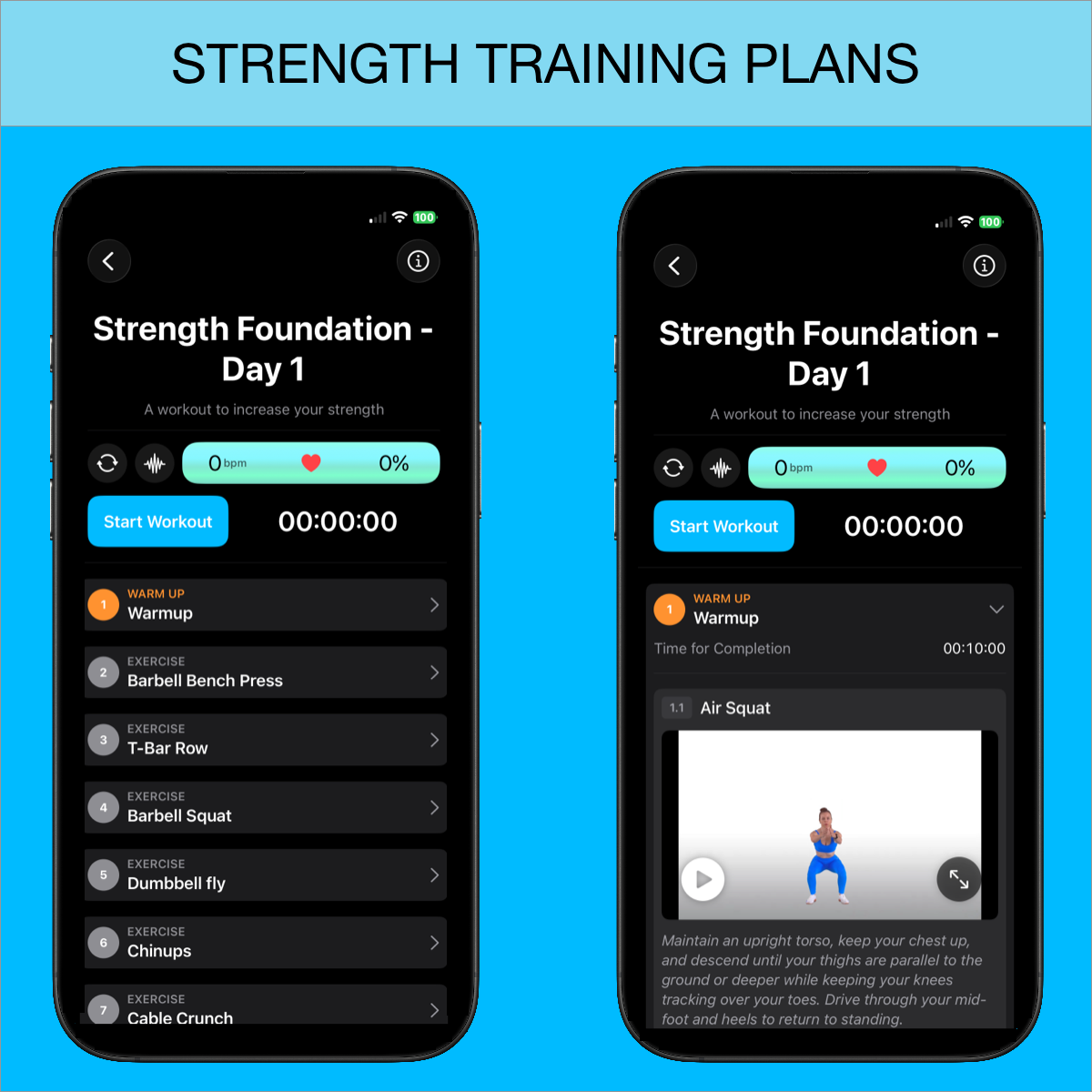
With the new Strength Training Plan creation feature from SELFLOOPS, coaches and personal trainers can now build professional strength programs, assign them to clients, and track every workout from a single platform.
From traditional strength training to HYROX, conditioning, running, cycling, and functional fitness, SELFLOOPS provides one ecosystem for every discipline.
Create Strength Training Plans in Minutes
The new Strength Training Plan Creator gives coaches complete flexibility to design structured workout programs for individuals or groups.
Programs can include:
Exercise instructions
Coach comments and notes
Video demonstrations for every exercise
Sets and repetitions
Weight prescriptions
RPE targets
%1RM targets
Coaches can quickly build reusable training templates and create their own exercise and workout library, making programming faster and more scalable over time.
Whether you coach strength athletes, personal training clients, or functional fitness classes, the platform adapts to your methodology.
Athletes Follow Workouts Directly From Their Smartphone
Clients can open the SELFLOOPS app on their smartphone and view their daily training session in a clean and structured format.
They can:
See the complete workout plan
Follow exercise instructions
Watch movement videos
Track sets, reps, and weights
Monitor workout progress in real time
Every completed workout is automatically stored inside the athlete’s training history for long-term analysis and coaching review.
More Than Strength Training
SELFLOOPS is not limited to strength workouts.
The same platform can also be used to create:
Running training plans
Cycling training plans
HYROX programs
CrossFit and conditioning workouts
Functional fitness sessions
Hybrid endurance-strength programming
Different sports require different performance metrics, and SELFLOOPS supports them all.
This allows coaches working with hybrid athletes and multi-disciplinary programs to manage everything inside one connected coaching ecosystem.
STRENGTH · HYROX · RUN · BIKE · CONDITIONING
One platform. Every discipline.
With the new Strength Training Plan creation tools, SELFLOOPS continues expanding its coaching ecosystem to help coaches, gyms, studios, and performance facilities deliver better training experiences across every sport and training methodology.
Whether your athletes lift in the gym, run outdoors, ride indoors, or train for hybrid competitions, SELFLOOPS provides the coaching tools to plan, monitor, analyze, and improve performance — all from one platform.
Back in October 2014, we launched the SELFLOOPS HRV app with a clear mission: bring professional-grade heart rate variability analysis to athletes and coaches everywhere.
Over the years, the app has been continuously improved. But this release is different.
This is a complete redesign—not just in how the app looks, but in how it helps you understand your body and train smarter.
A Fresh, Simpler Experience
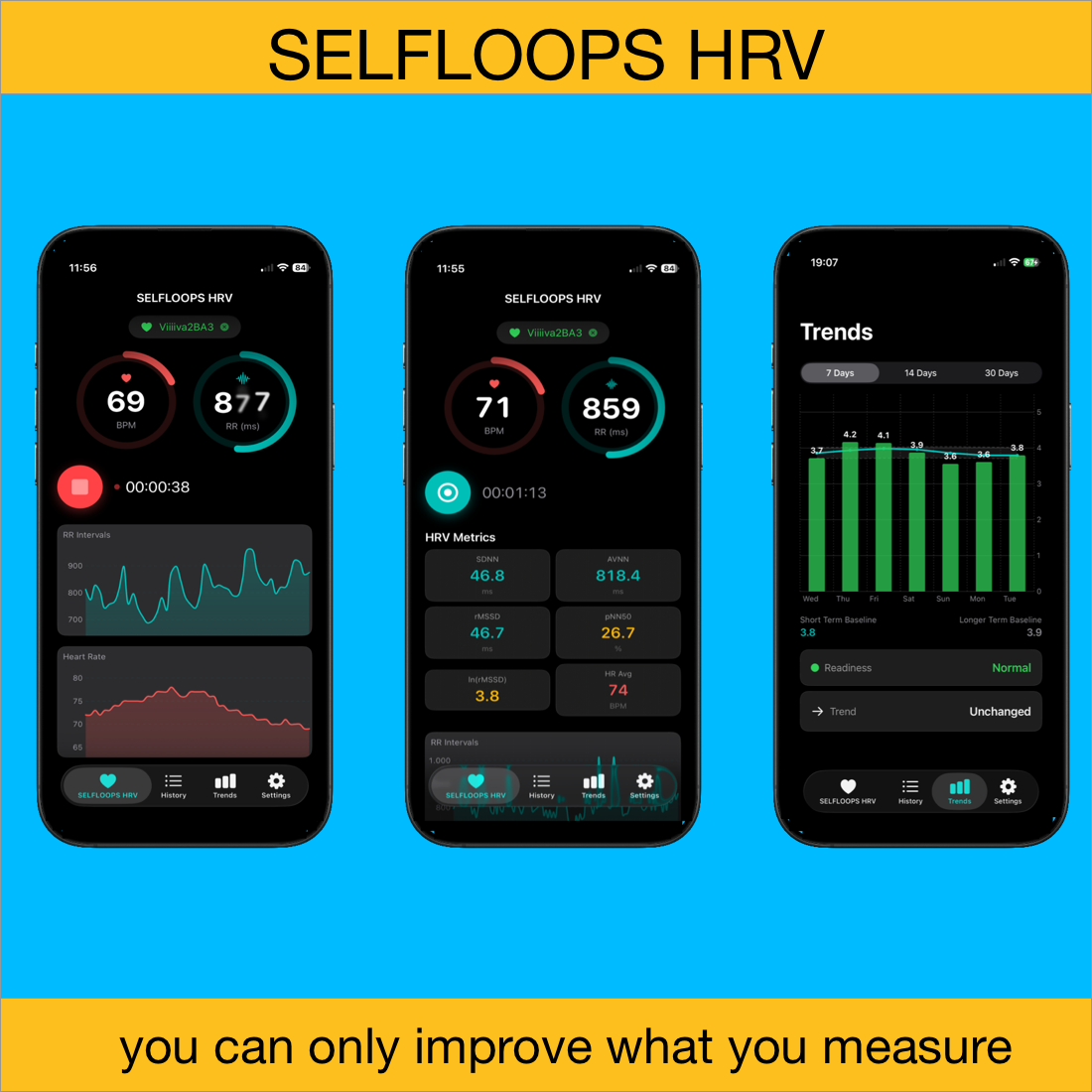
The first thing you’ll notice is the new interface. It’s cleaner, faster, and built to make complex data easy to understand.
Your key metrics are now easier to read at a glance, and navigating the app feels more natural. Whether you’re checking your recovery in the morning or reviewing past sessions, everything is designed to be quick and intuitive.
Accuracy You Can Trust
SELFLOOPS HRV has always focused on accuracy, using precise beat-to-beat (R-R interval) data from Bluetooth heart rate monitors.
With this update, we’ve taken it a step further. Improved analysis and error correction bring the app closer than ever to state-of-the-art, professional-level accuracy—the kind trusted in elite sports and research.
This is not just a visual update. It’s a step forward in how physiological data can be used to support real-world performance decisions—for athletes, coaches, and organizations alike.
What’s new in the refresh: → Completely rebuilt interface — faster, cleaner, focused on your morning check-in → Trends analysis that shows your HRV trajectory over days and weeks → A Readiness Score that tells you when to push and when to recover → Full scientific metrics: RMSSD, ln(RMSSD), SDNN, pNN50, AVNN
The application can import R–R interval data from Apple Watch, as well as from any app that writes this data to HealthKit via the HealthKit API.
The Apple Watch automatically records R–R intervals throughout the day, but you can also trigger a dedicated HRV measurement using the Breathe app (now part of the Mindfulness app), which forces the watch to record and store R–R interval data in HealthKit. Once recorded, this session can be imported into the SELFLOOPS HRV app.
New: Trends & Readiness Score
One of the biggest additions is the introduction of Trends Analysis with the Readiness Score.
Instead of isolated data points, we now translate HRV into something actionable: • Are you ready to perform? • Are you accumulating fatigue? • Are you improving over time?
This shift—from raw data to decision-support—is where we see the real value emerging. The app now looks at how your HRV evolves over time and turns that into a simple, actionable insight.
In practice, it’s straightforward: • Measure your HRV daily, ideally in the morning • Watch how your trend develops over time • Use the Readiness Score to guide your training
When your readiness is high, it’s a good time to push. When it drops, your body may need recovery. It’s a smarter, more consistent way to train—based on how you actually feel, not just what’s planned.
Moving Forward
This redesign marks an important step forward for SELFLOOPS HRV. It’s faster, clearer, and more powerful—but still built around the same core idea: giving you reliable insights you can actually use.
Whether you’re a cyclist, runner, coach, or researcher — this is the tool that gives you an honest, accurate picture of your recovery and training readiness. No gimmicks, just data you can trust.
We all know how it goes — sometimes you’re running a few minutes late, but you still want to join your group workout and track your performance. Until now, that wasn’t possible once the session had already started.
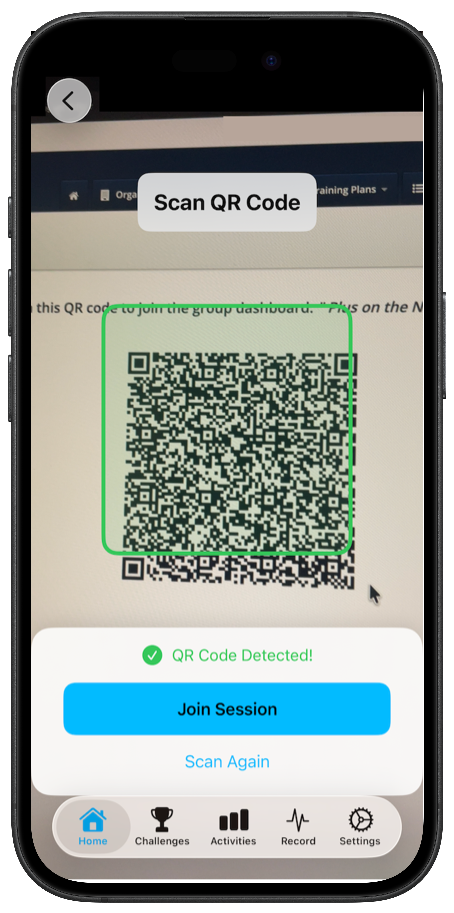
Good news: you can now join an ongoing SELFLOOPS Group Fitness session instantly by scanning a QR code with your smartphone!
How It Works
Open the SELFLOOPS Spark app (make sure you have the latest version).
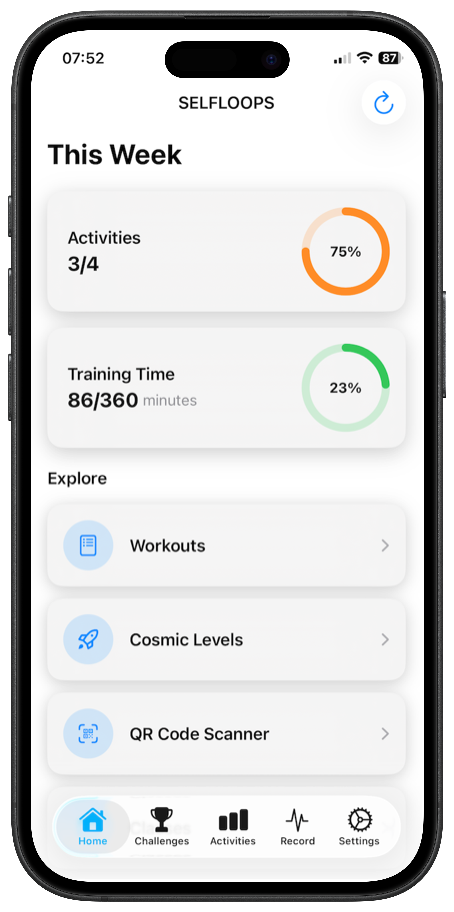
Tap the QR code reader button.
Scan the QR code provided by your gym.
Confirm — and you’re in! Your data will appear on the screen alongside everyone else’s in real time.
This update makes it easier than ever to stay connected and track your performance — even if you join late. It’s all about making the group fitness experience smoother, smarter, and more flexible.
For help or troubleshooting, please visit our Support Page.
In today’s connected world, your training data should empower you — not hold you back.
That’s why SELFLOOPS seamlessly syncs your data across wearables and platforms, delivering a unified training ecosystem that puts you in control of your fitness journey.
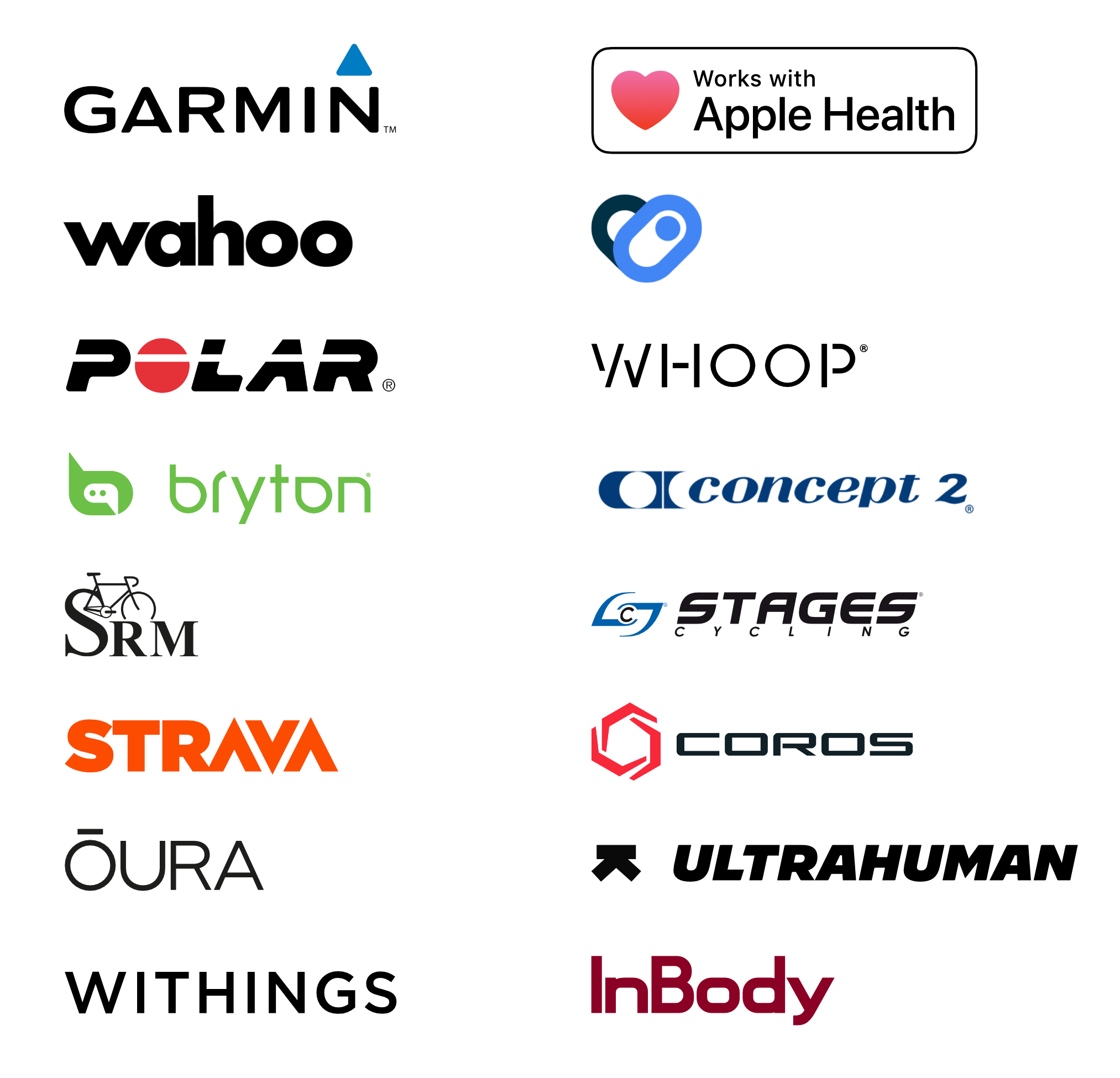
We support leading platforms, wearables, and equipment:
STRAVA, Garmin, Polar, Wahoo Fitness
Apple Watch (Apple Health), Google Health Connect
Withings, InBody, Whoop, Oura Ring, UltraHuman
Coros, Concept2, SRM, Bryton, Stages
HealthFit, RunGap, GoldenCheetah
Heart Rate Monitors, Power Meters, Smart Trainers, Rowers
and more to come.
All Your Data. One Platform. No silos. No manual syncing. Just real-time insights you can act on.
Why SELFLOOPS? ✔️ Complete historical workout data ✔️ Real-time synchronization ✔️ Device and platform agnostic ✔️ Enterprise-grade data privacy ✔️ Insights that actually improve performance